Brihat Infotech presents
Your Mac is running things you forgot about.
MacPulse finds every stray port, bloated cache, and zombie AI process cluttering your machine — and lets you clean it up in one click, safely.
$ 196 ports being watched · 6.19 GB reclaimable right now
The mess you don't see until it slows you down
A dozen npm run dev processes still bound to ports you forgot about
Xcode, Gradle, and node_modules quietly eating 30+ GB of disk
Claude Code / Cursor / Ollama processes still running after you closed the project
MacPulse watches all of it, all the time — so you don't have to.
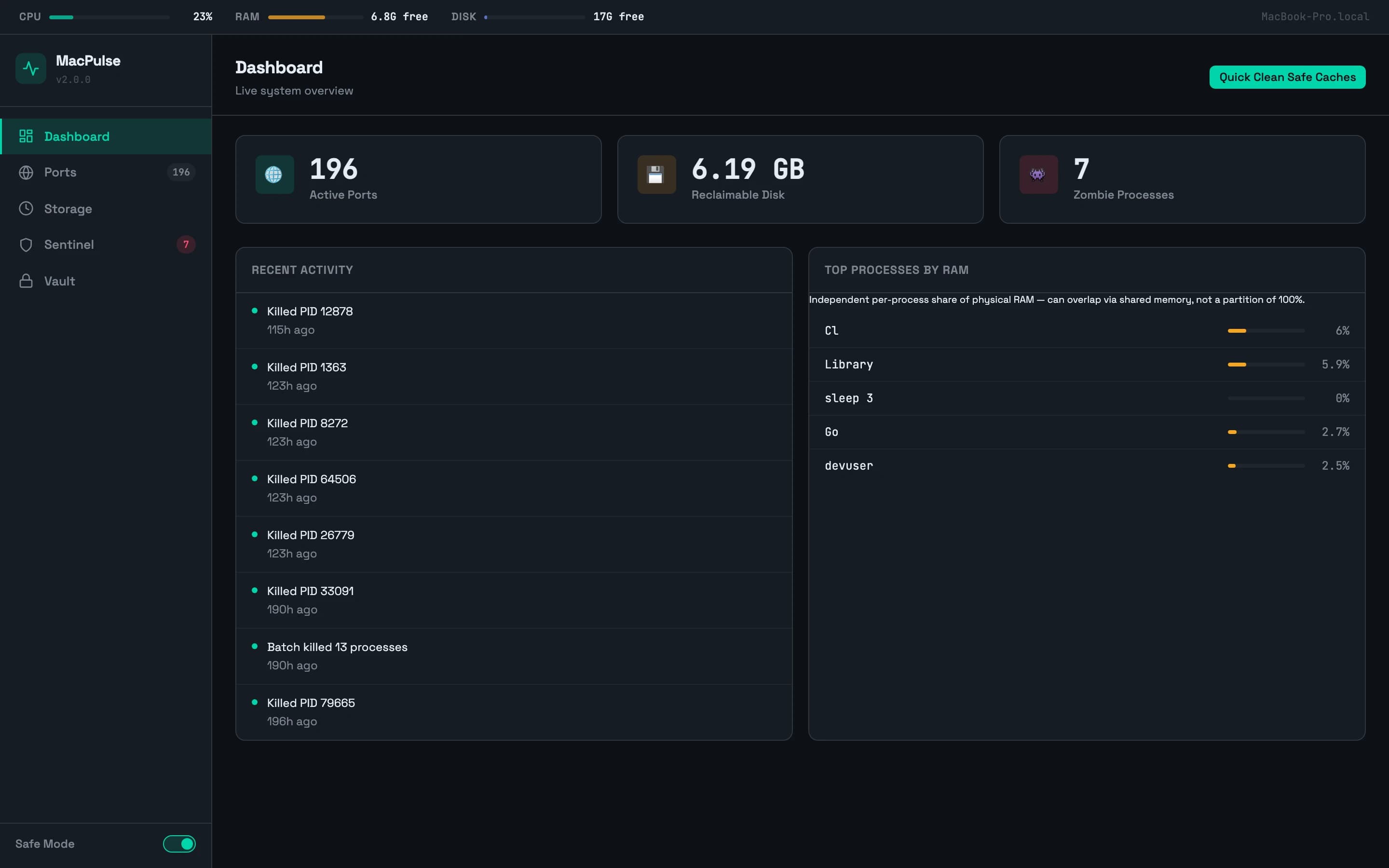
Dashboard
Live system overview
Real-time CPU, RAM, and disk vitals, active port count, reclaimable disk space, and zombie process count — plus a one-click Quick Clean Safe Caches action.
- · Live CPU/RAM/disk vitals strip
- · Recent activity log
- · One-click safe-cache cleanup
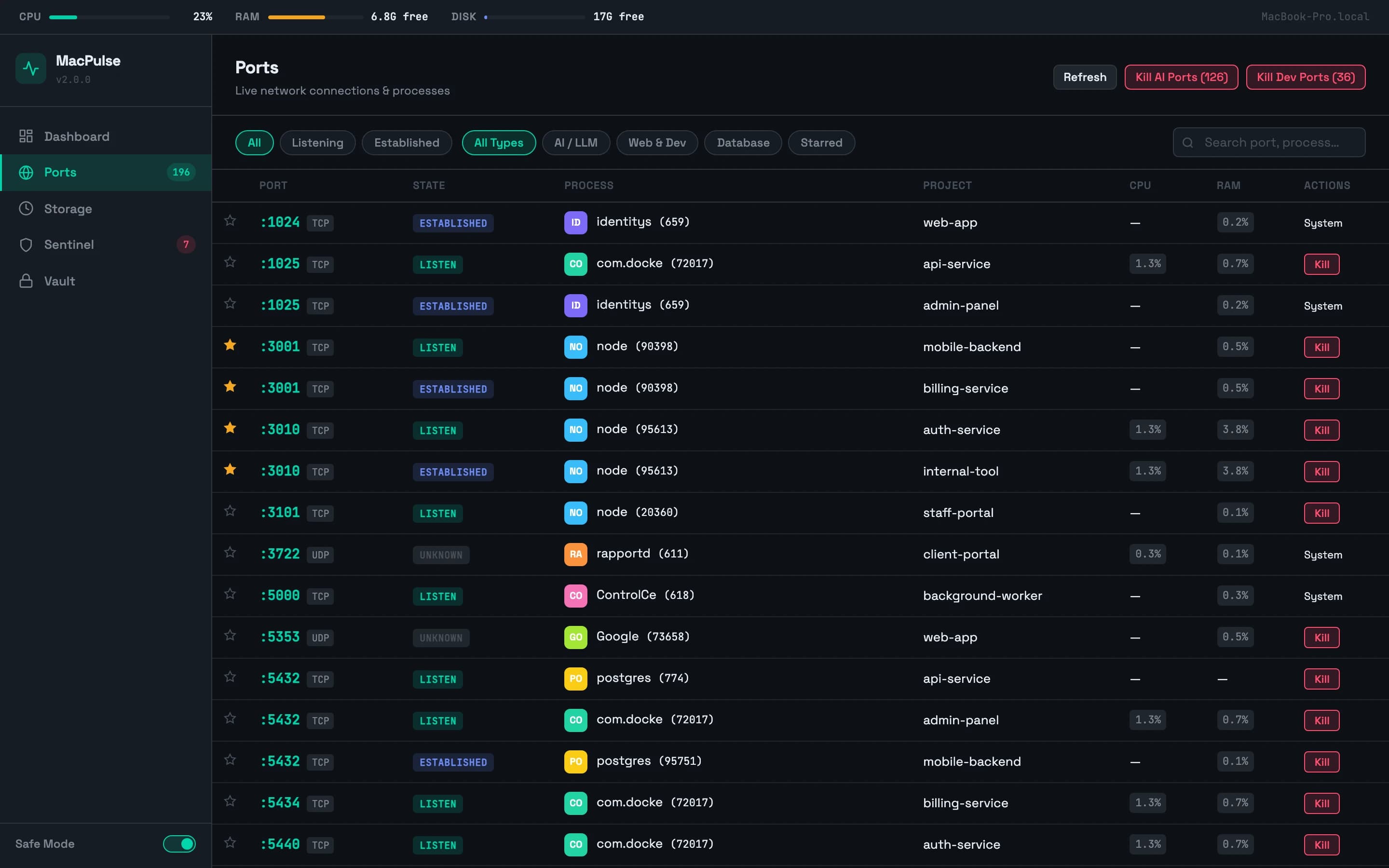
Ports
Every process bound to a port, at a glance
Project name, CPU/RAM, and an AI badge for ports run by tools like Claude Code, Cursor, or Ollama. Filter, favourite, or kill instantly.
- · AI-tool badges on relevant ports
- · Detail drawer with CPU/RAM gauges and a process tree
- · Kill, open in Finder, or copy the kill command
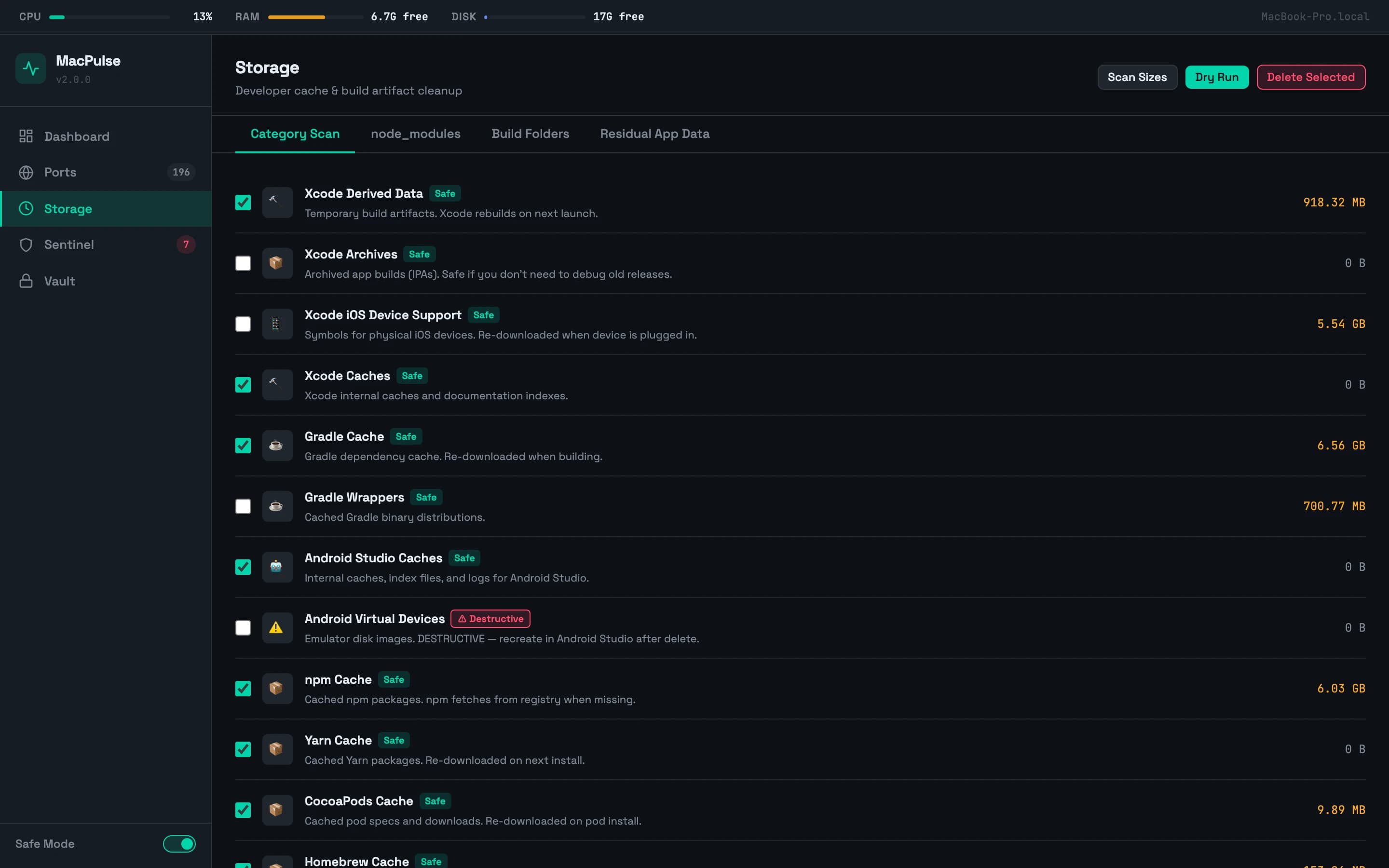
Storage
A safe cache-cleanup centre
14 categories — Xcode Derived Data, Gradle, npm/Yarn/CocoaPods/Homebrew, and more — plus scanners for stray node_modules and orphaned build folders.
- · Dry-run preview before every deletion
- · A hardcoded denylist protects sensitive locations
- · Leftover data from uninstalled apps, found
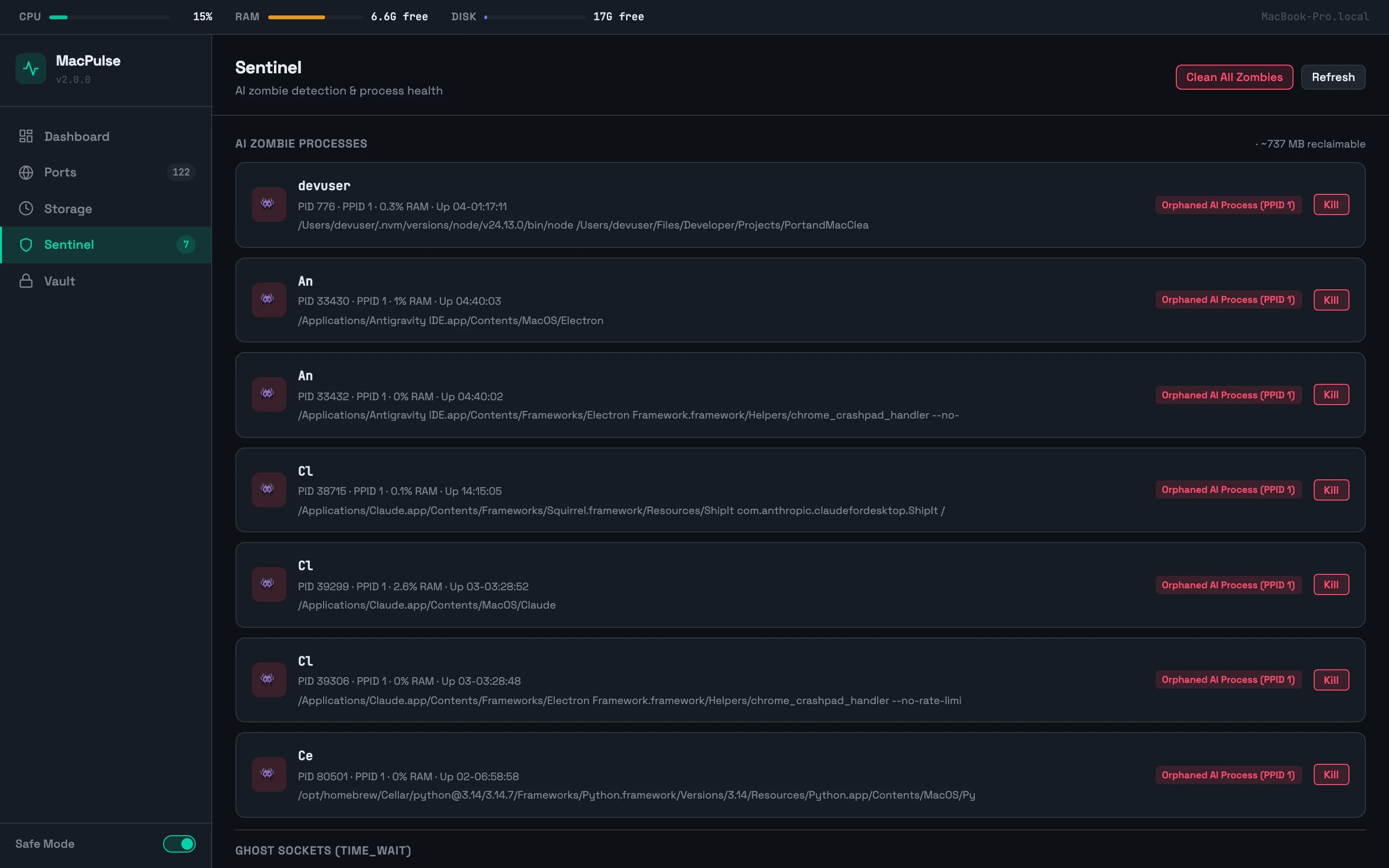
Sentinel
Zombie AI processes, found and cleaned
Detects orphaned AI-agent and local-model-server processes still running with no parent, and shows exactly how much RAM they're wasting.
- · One-click Clean All Zombies
- · Lingering TCP sockets surfaced
- · A read-only .env locator — for awareness only
Vault
Your CLI snippets, one click away
A per-project library of common commands, with template variables that substitute automatically — so a saved snippet can restart the exact dev server you just killed.
- · {{PORT}} / {{PID}} / {{CWD}} template variables
- · Per-project organisation
- · Copy, run, or edit in place
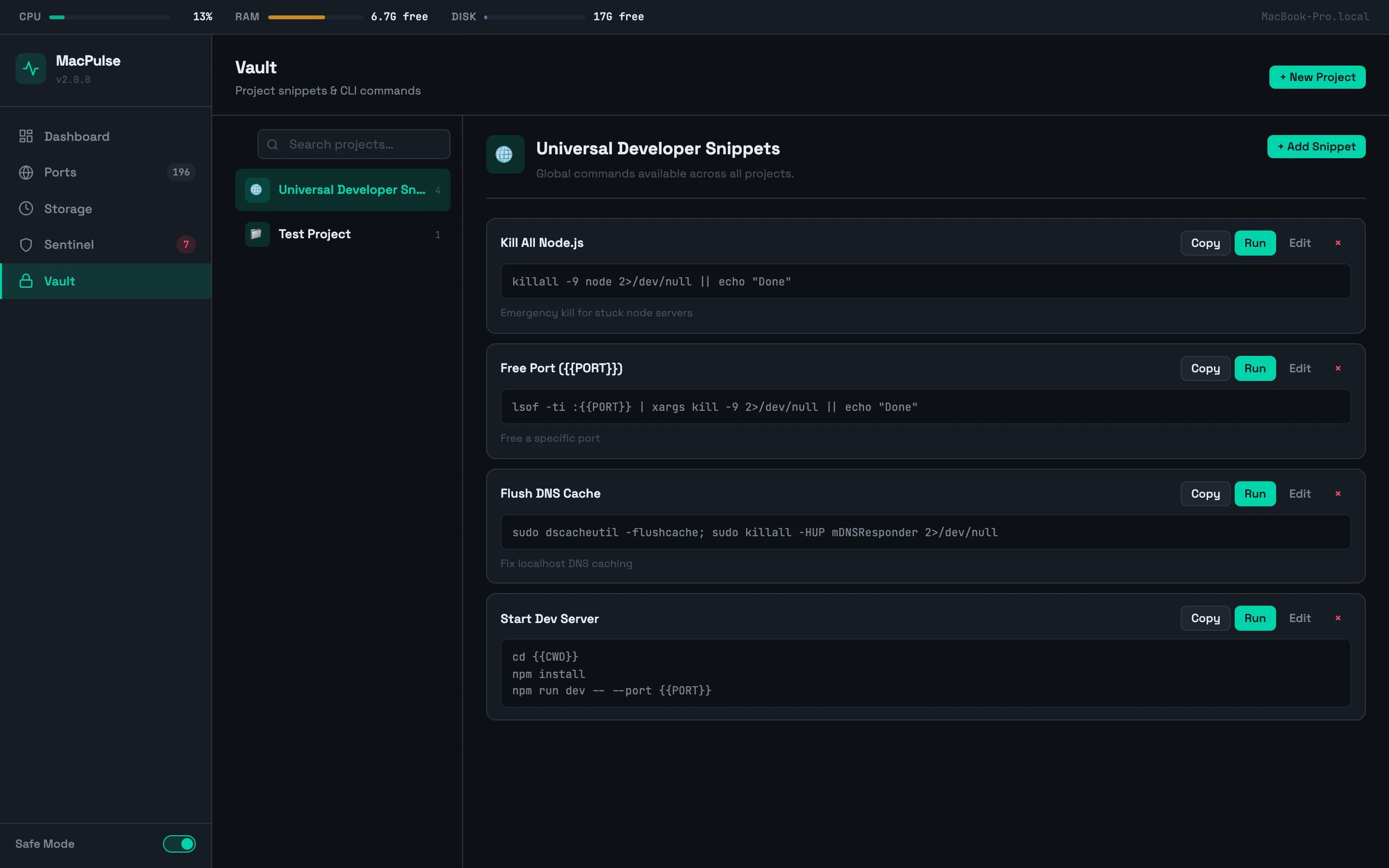
See the whole control room
Dashboard — live vitals and recent activity
Ports — every process bound to a port
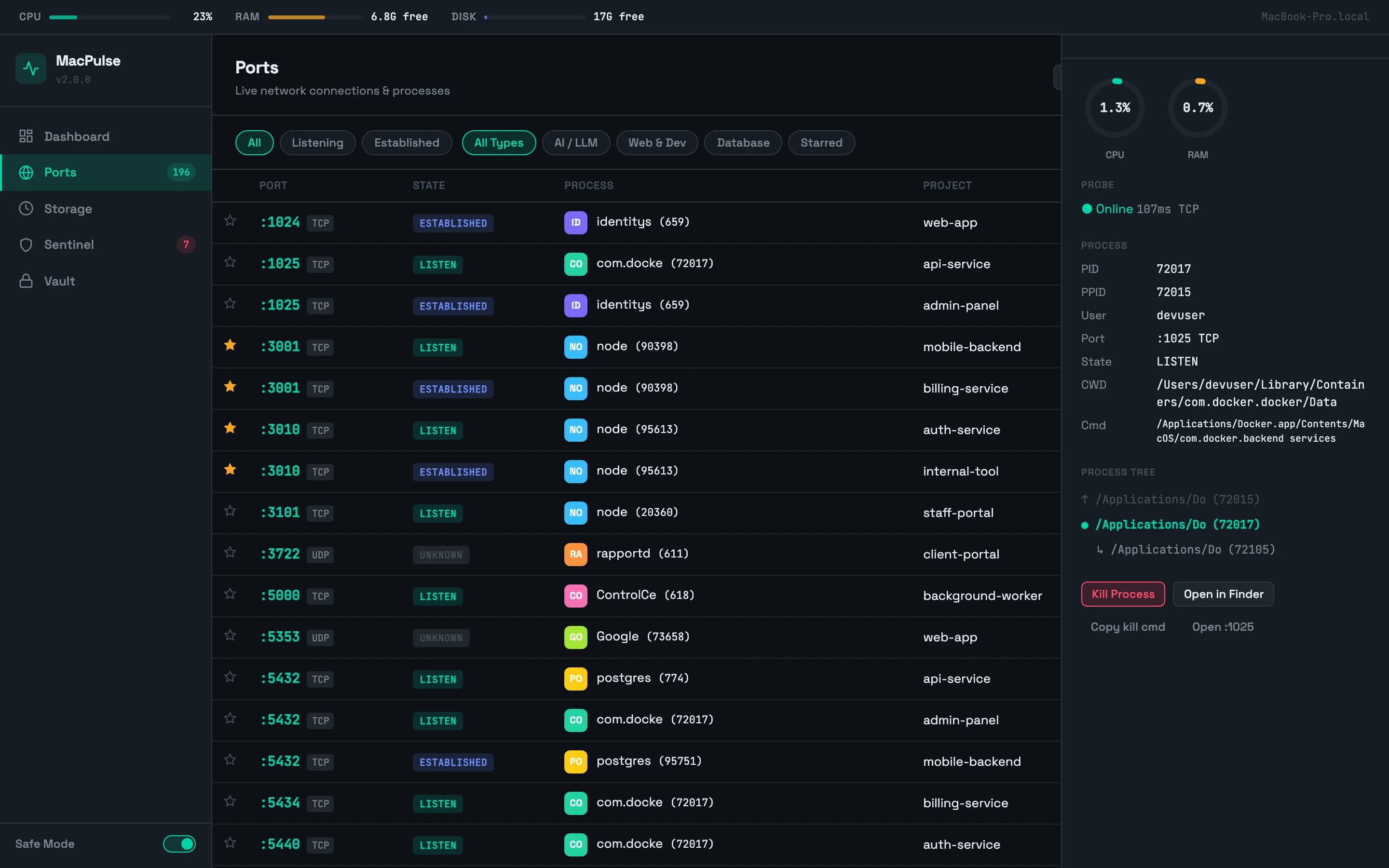
Port detail drawer with CPU/RAM gauges
Storage — safe cache cleanup by category
Sentinel — zombie AI processes
Vault — per-project CLI snippets
Also lives in your toolbar
A companion Chrome extension shows live CPU/RAM/disk and port count at a glance, with one-click AI-zombie cleanup, quick-kill chips for common dev ports, and a side panel mirroring the full dashboard.
Nothing gets deleted by accident
Every deletion requires a dry-run preview and explicit confirmation. A hardcoded safety denylist means MacPulse can never touch Documents, Desktop, SSH keys, or .env files — no matter what.
Questions
Does MacPulse ever delete files without asking?
No — every deletion requires a dry-run preview and explicit confirmation first.
Can it delete my personal files by mistake?
No — a hardcoded safety list blocks Documents, Desktop, SSH keys, .env files, and more, regardless of settings.
Does it work on Intel Macs?
Yes, both Apple Silicon and Intel.
Is it free?
Yes, free to download and use.
Do I need the Chrome extension to use it?
No — the web dashboard works standalone; the extension is an optional quick-access companion.