Forecasts from your own throughput, not a guess.
Brihat PMT is a project management tool built from scratch — real-time boards, a Monte Carlo forecasting engine, and automation that shows its work. Built for teams who find traditional PM tools too complex to trust and too simple to plan with.
Complexity you pay for every day
Traditional PM tools bury the answer to "will this ship on time" under configuration. Most teams give up and guess.
No real visibility
A board tells you what state something is in, not whether the team is actually going to hit the date. Confidence needs data, not a status color.
Forecasting in a spreadsheet
Most teams still build their delivery forecast by hand, disconnected from the tool where the actual work happens.
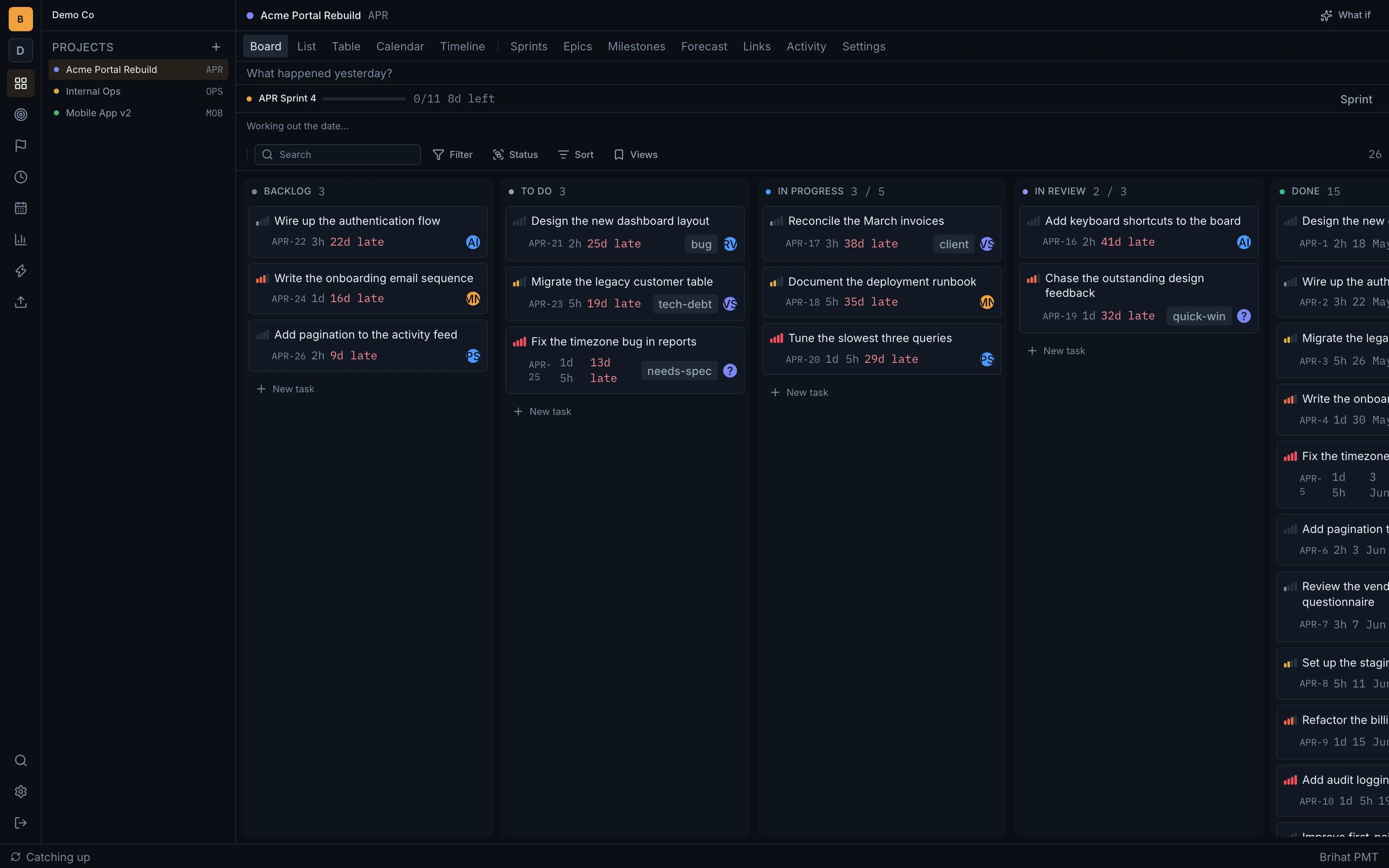
Real-time, by design
Move a card and every other viewer's board updates within about 200ms over a live websocket connection. Edits apply instantly on-screen before the server confirms them, and the app keeps working offline — edits queue in IndexedDB and replay when the connection returns.
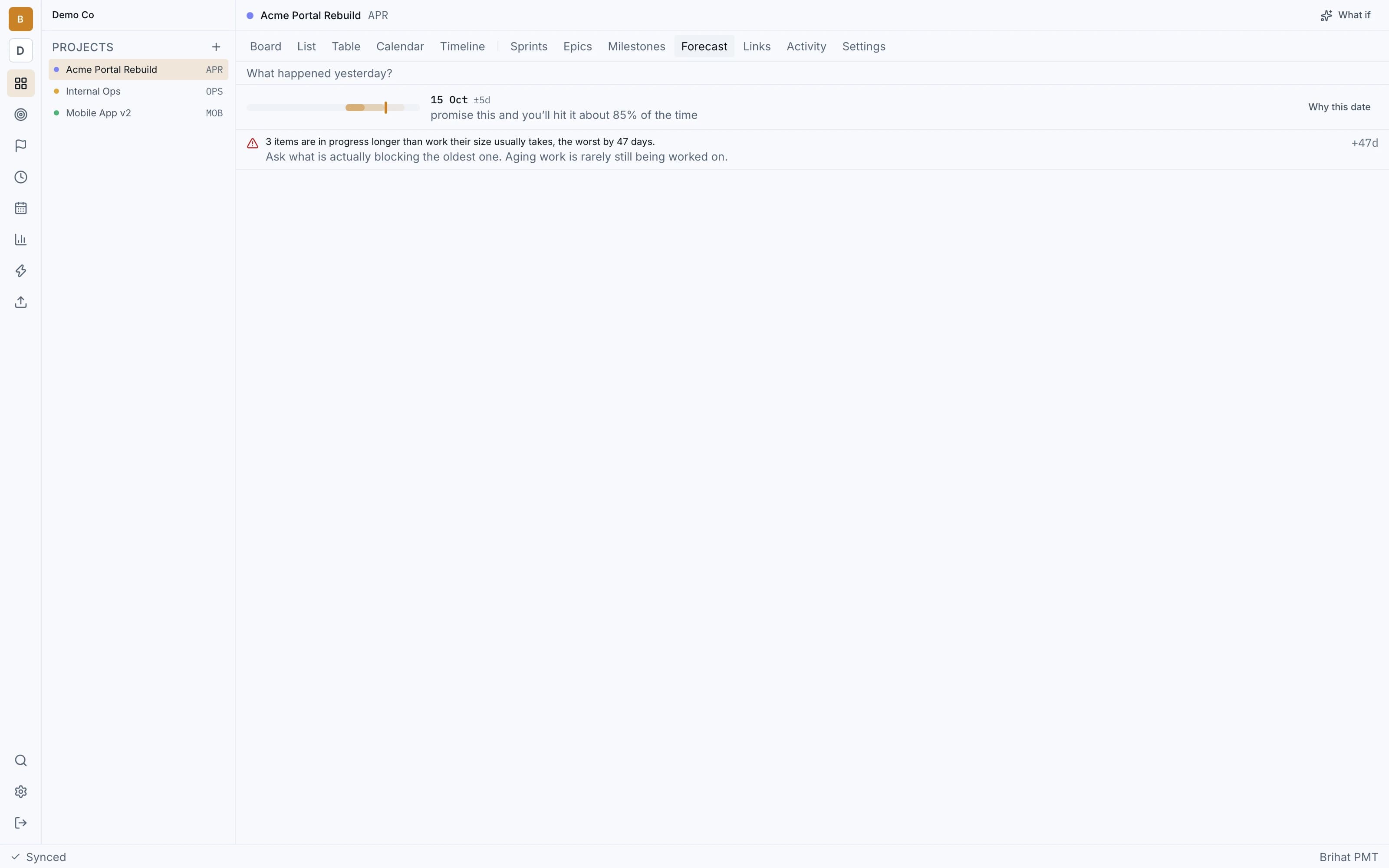
Forecasts with a stated confidence, not a bare date
A Monte Carlo engine runs 10,000 trials against a team's own historical throughput and shows a p50/p85/p95 confidence band — in the product's own words, "15 Oct ±5d — promise this and you'll hit it about 85% of the time."
15 Oct ±5d
promise this and you'll hit it about 85% of the time
Automation you can trust before it acts
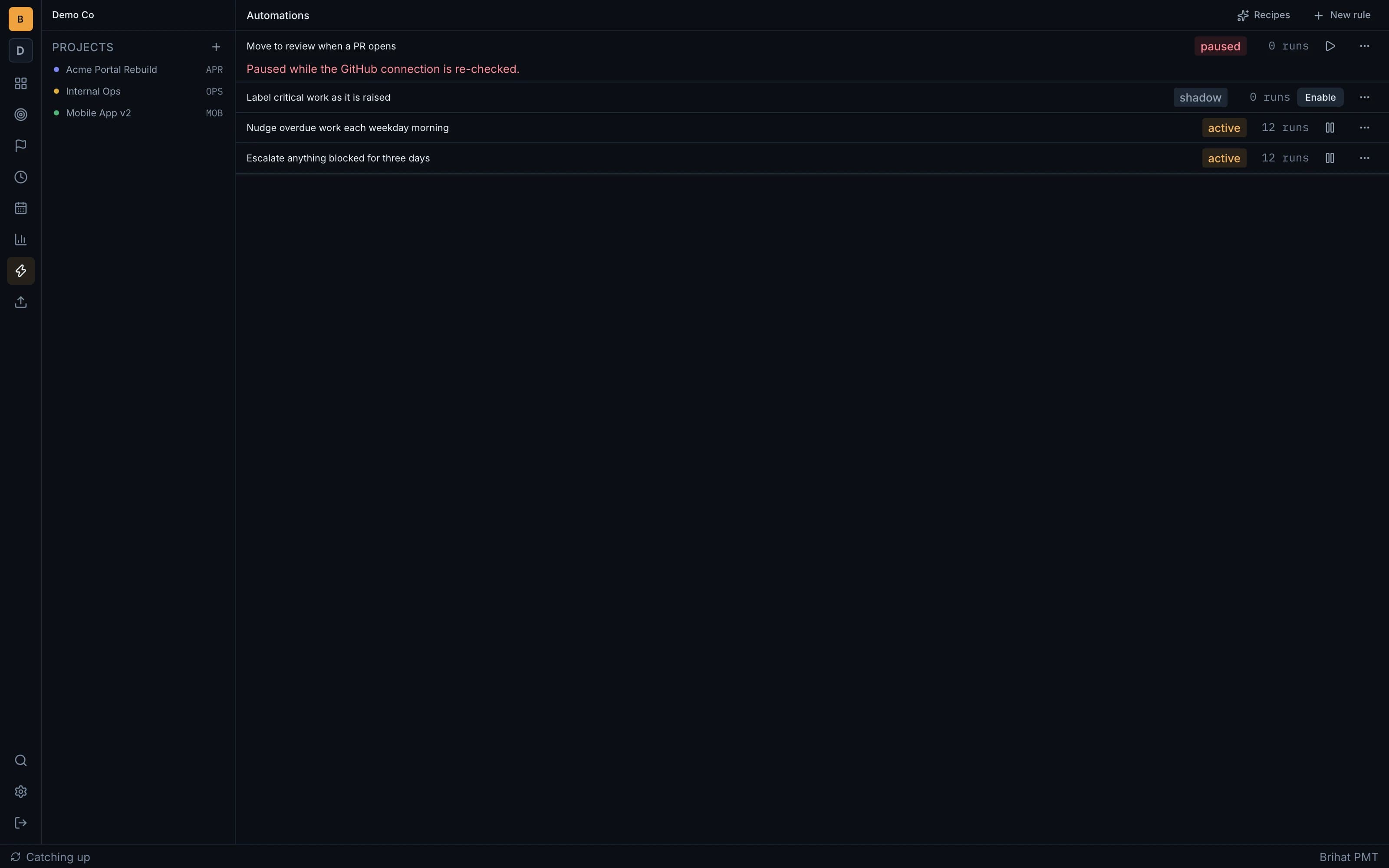
Every rule shows exactly why it fired or didn't — a full condition trace on every run. A rule can run active, paused with a stated reason, or in shadow mode: it matches and explains itself without acting, so you can trust it before turning it on.
A real critical path, not just a list with dates
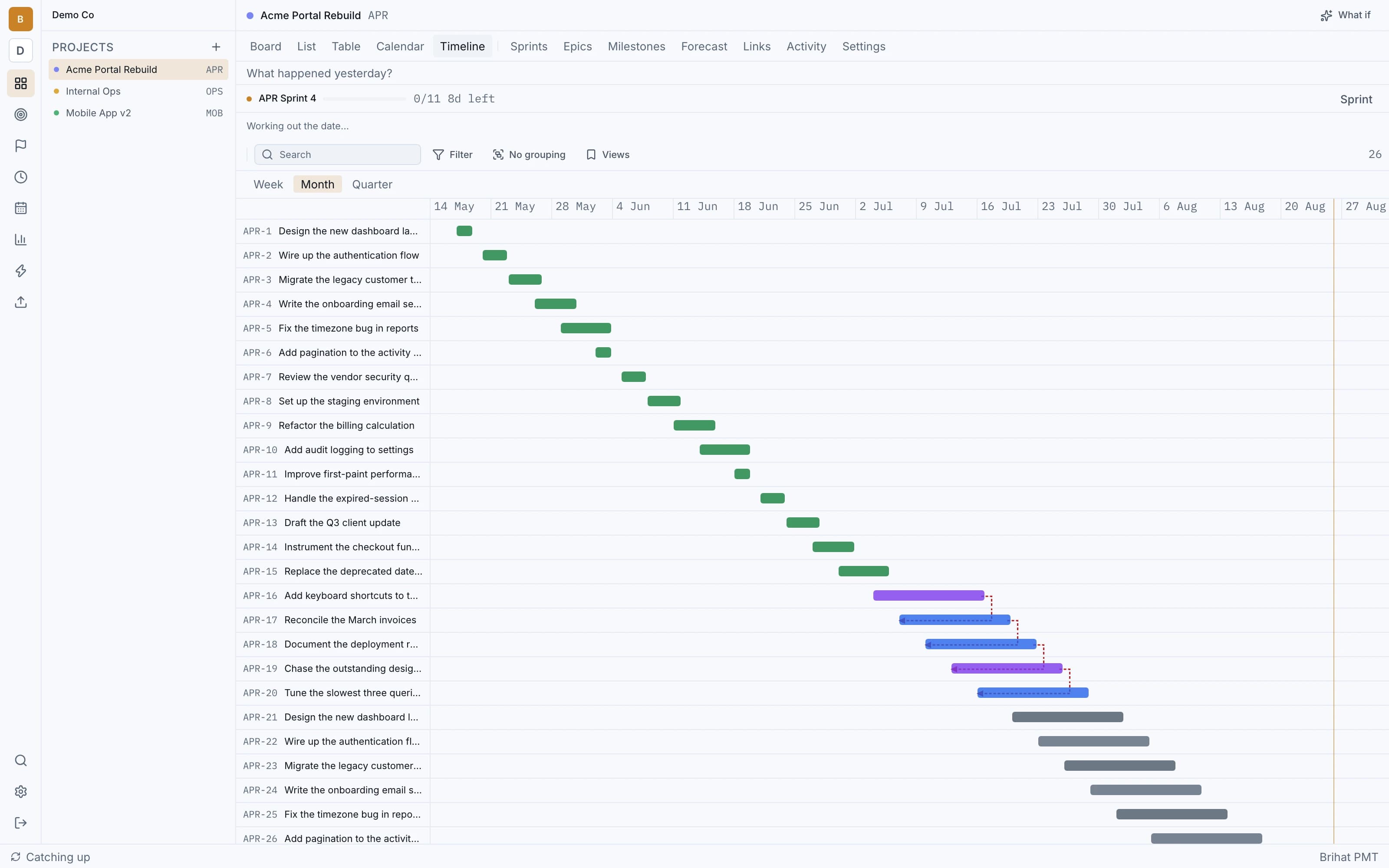
The timeline view draws actual dependency arrows between tasks — most tools at this tier don't. A resource-constrained scheduling engine accounts for who is actually free, not just which tasks depend on which.
Everything else you'd expect, done properly
Nine analytics reports
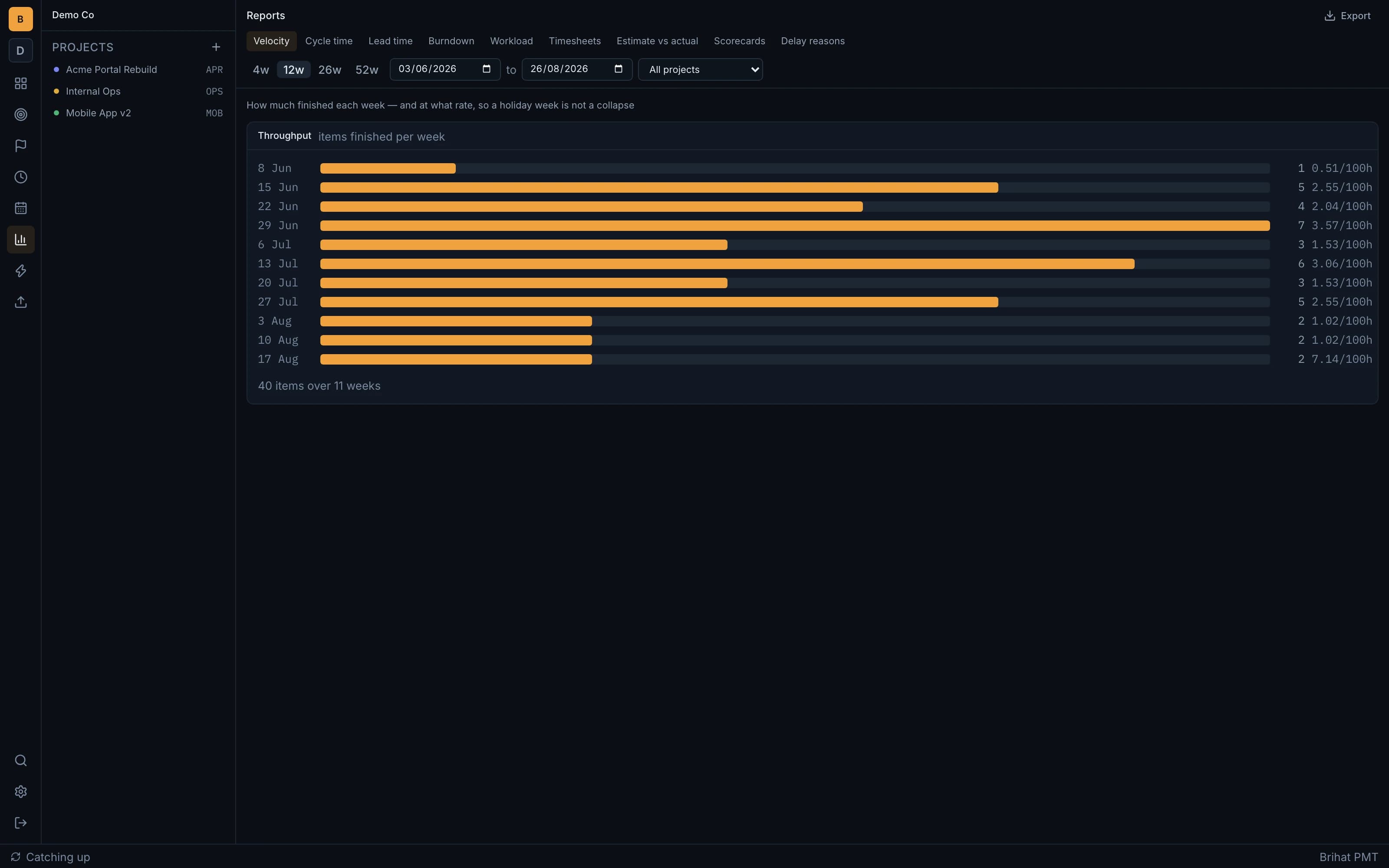
Velocity, cycle time, lead time, burndown, workload, timesheets, estimate accuracy, project scorecards and delay reasons — each exportable to CSV.
GitHub/GitLab integration
A branch, commit or PR can move a card automatically.
Time tracking with a timesheet inbox
Detected activity suggests time entries a person accepts or declines — it never auto-writes a timesheet.
Role-based permissions
Owner, Admin, Manager, Member and Guest, plus per-project custom roles and a full audit trail.
Project templates
Start a new project pre-populated with a realistic backlog instead of a blank board.
The Inbox
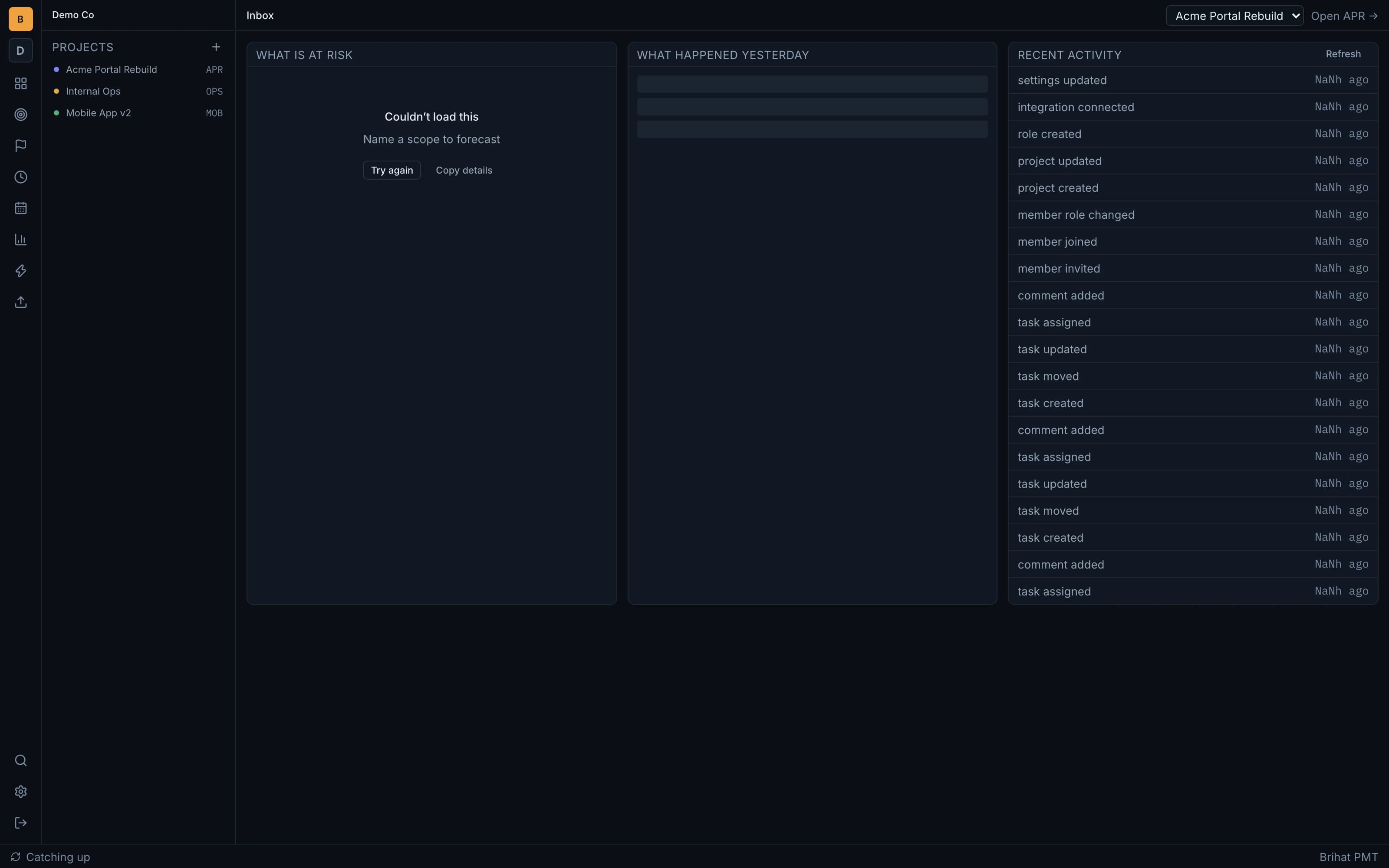
Risks, a daily standup summary, and recent activity surfaced in one place — not spread across five tabs.
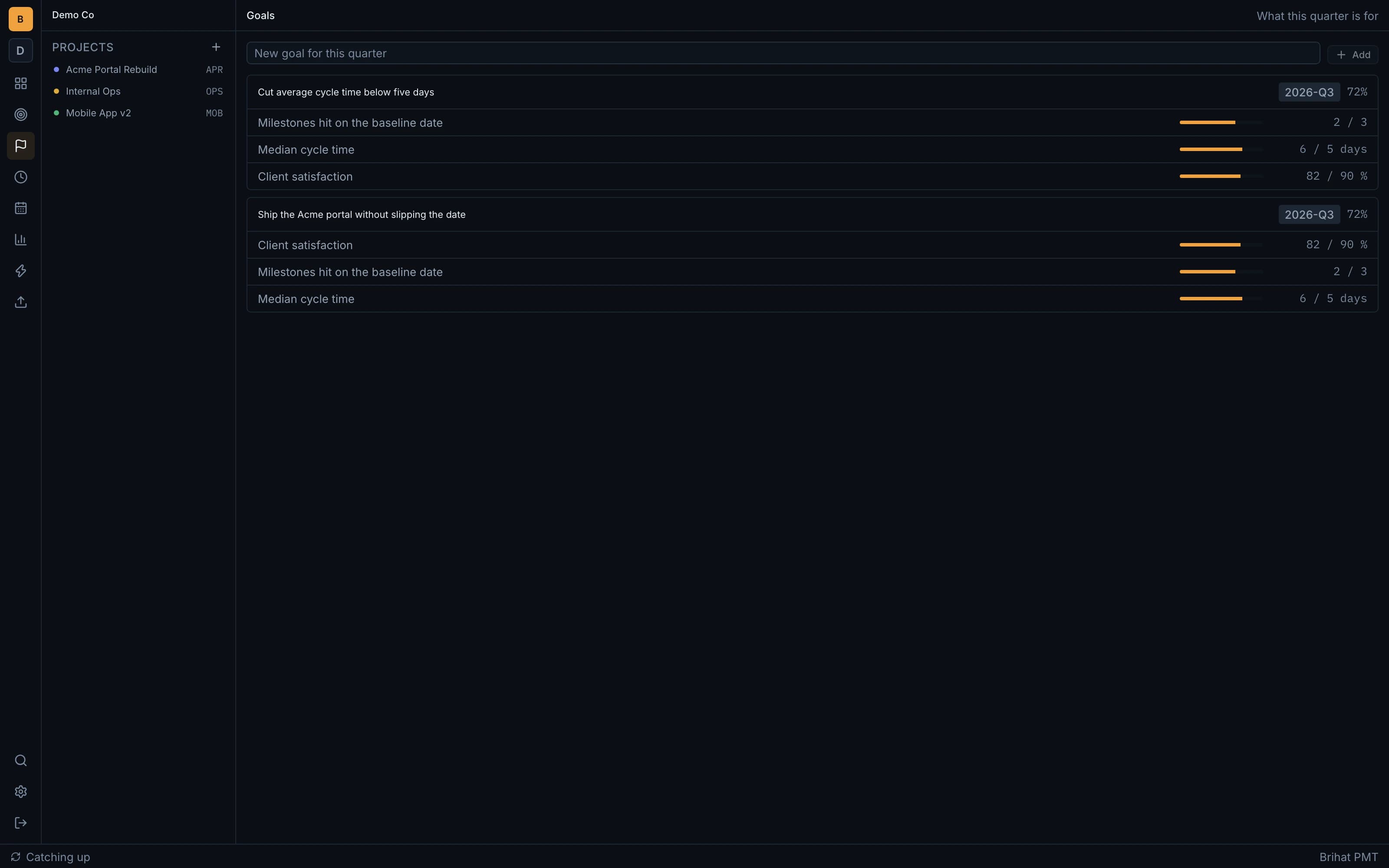
Goals and OKRs
Key results tracked alongside the work that actually moves them.
Milestones with slip tracking
Sub-checkpoints tracked against a baseline date, so a slip is visible before it's a surprise.
How it's different
| Axis | Brihat PMT | Traditional PM tools | Spreadsheets |
|---|---|---|---|
| Forecasting | Monte Carlo confidence band from your own throughput | A due date someone typed in | Manual, disconnected from the work |
| Automation trust | Shadow mode — test a rule before it can act | Rules run blind once enabled | No automation |
| Critical path | Real dependency arrows on the timeline | Usually not drawn at this tier | Redrawn by hand, goes stale |
| Data isolation | Enforced at the database level (row-level security) | Application-code only | A shared file |
See the rest of the product
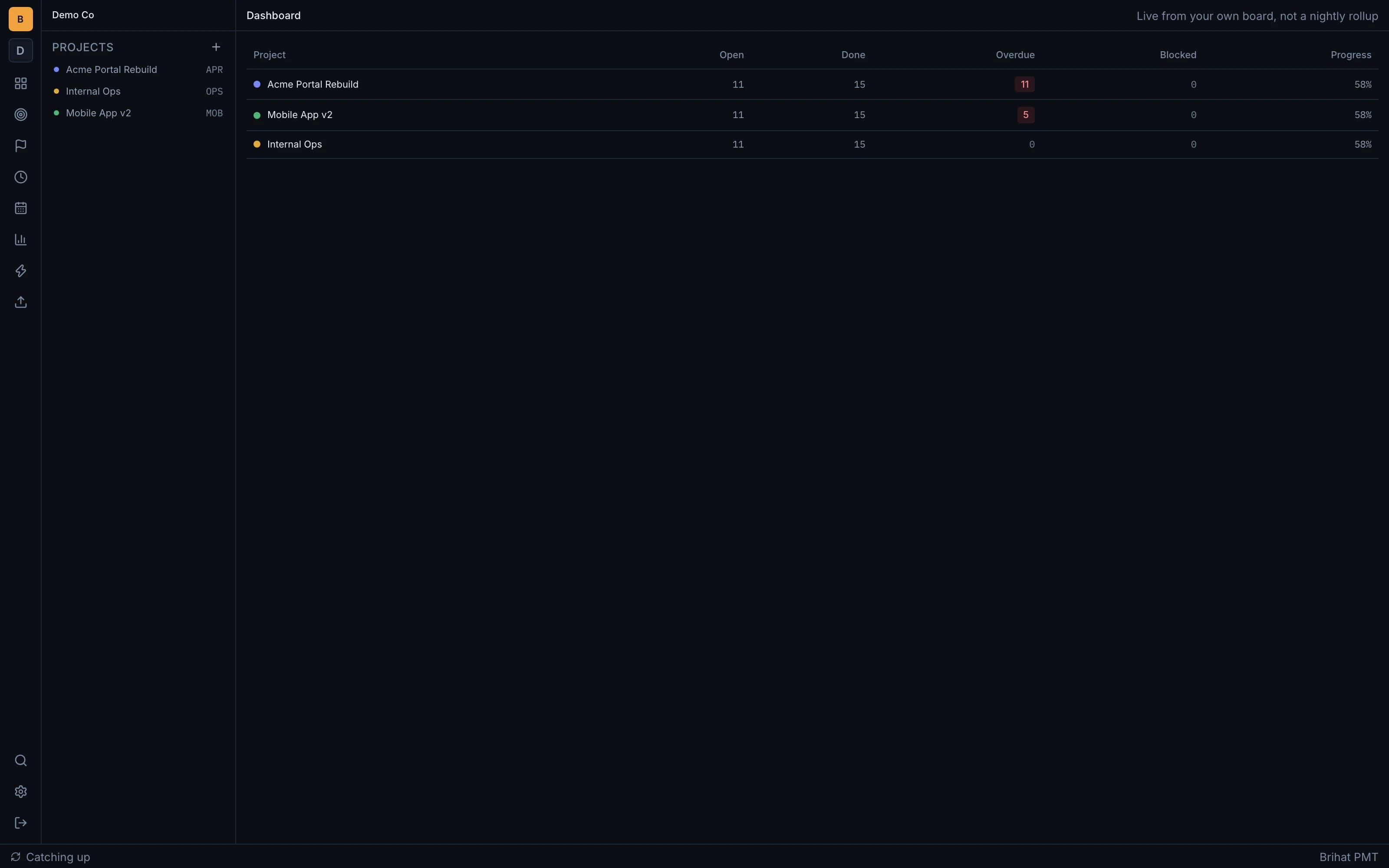
Every screen below is real, shown with a fictional demo organisation's data.
Questions
How is this different from Jira or ClickUp?
Forecasting is built from your own team's historical throughput rather than a typed-in date, every automation rule shows why it fired (or didn't), and tenant isolation is enforced at the database level, not just in application code.
What happens if I lose my connection?
The app keeps working. Edits apply instantly and persist locally, then queue and replay automatically once the connection returns.
Does the AI ever make things up?
No. Every AI-assisted screen has a deterministic, template-based twin — with no AI configured, the product still works and says plainly that a summary was written by template, built entirely from your own data.
Can automations do something a person couldn't?
No — every rule action goes through the same code path a human's click would, so automation can never exceed a human's permissions or bypass a workflow rule.
How does the forecast handle a new team with little history?
The forecast is shown with a stated confidence tier reflecting how much history backs it — it's honest about uncertainty rather than presenting a falsely precise date either way.